
undefined
Setting up Payments with QuickBooks
We currently manage payments through Intuit QuickBooks. This guide will walk you through the steps to get set up to receive payments.
Shortly after completing your first assignment, you will receive an email from Intuit QuickBooks with instructions on how to set up your direct deposit. If you don’t receive this email please reach out to payroll@rarelanguage.com.

Check Your Email
You should receive an email from Intuit QuickBooks that looks like this:
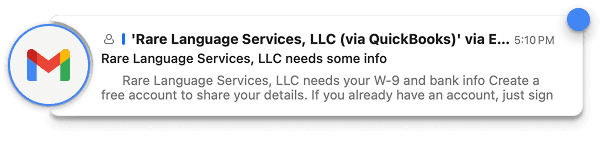
If you don’t see it in your inbox, please check your spam or junk folder. The email will come from do_not_reply@intuit.com.
Create Your Quickbooks Account
Contents for step 2.
Fill Out I9 Information
Once you have created your QuickBooks account, you will be prompted to fill out your I9 information. If you are not taken here go back to the email you received from QuickBooks and click the link again.
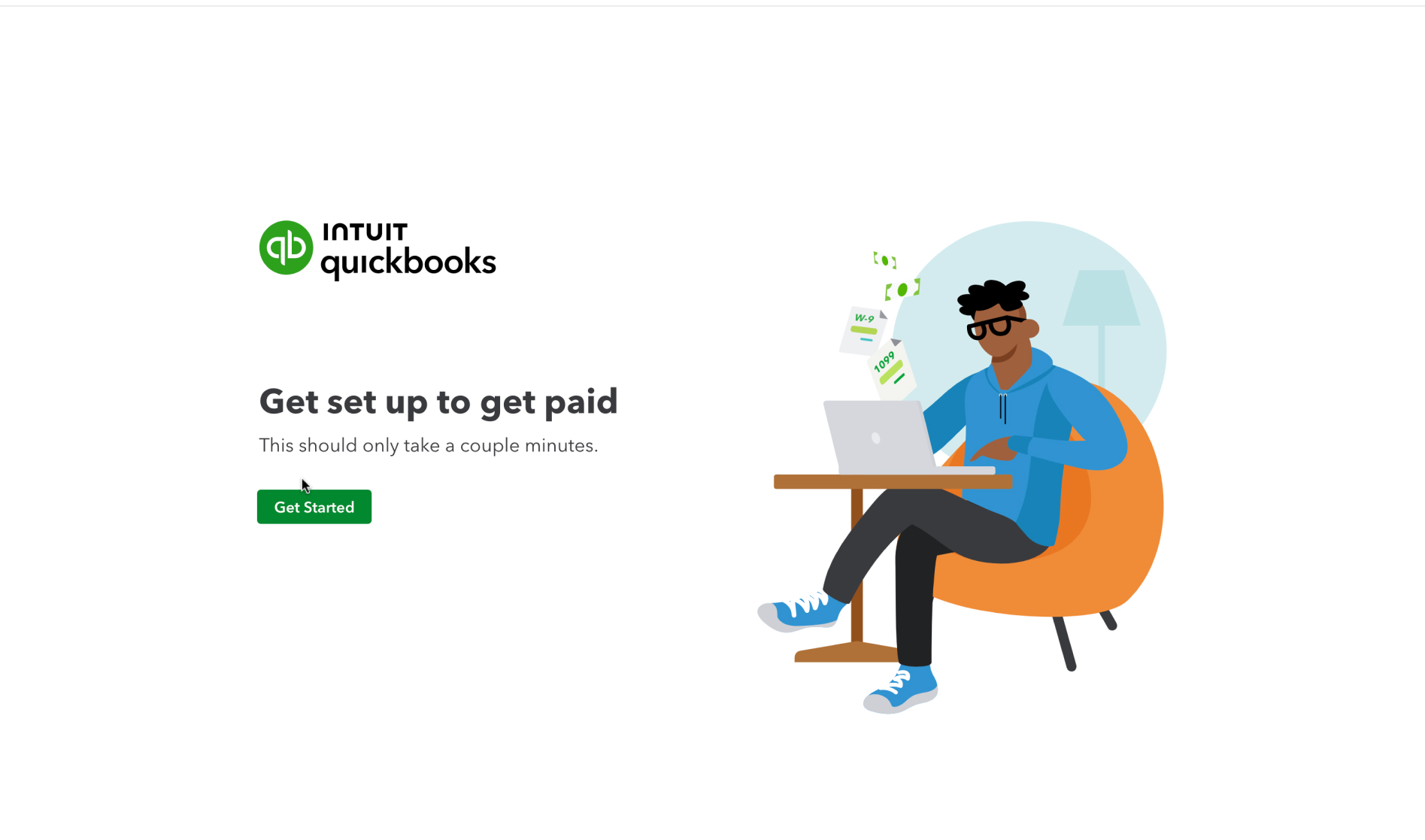
Fill out the required fields including your address, date of birth, and social security number. This information is required by the IRS for tax purposes. You will recieve a 1099 form at the end of the year for tax filing.
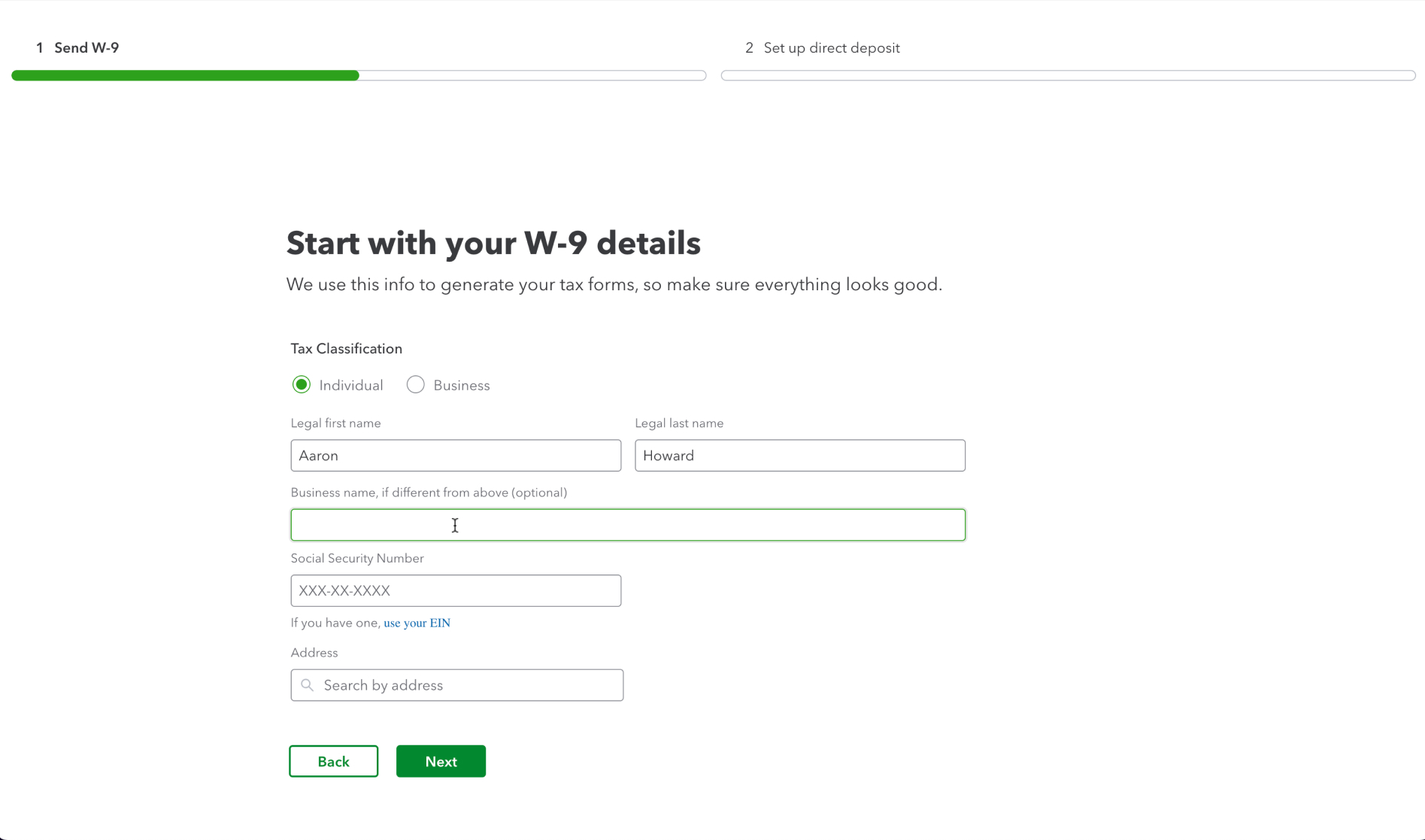
Once you have filled out the form, click “Submit”. You will then see a confirmation make sure to click on Set up direct deposit to setup your bank info so you get paid.
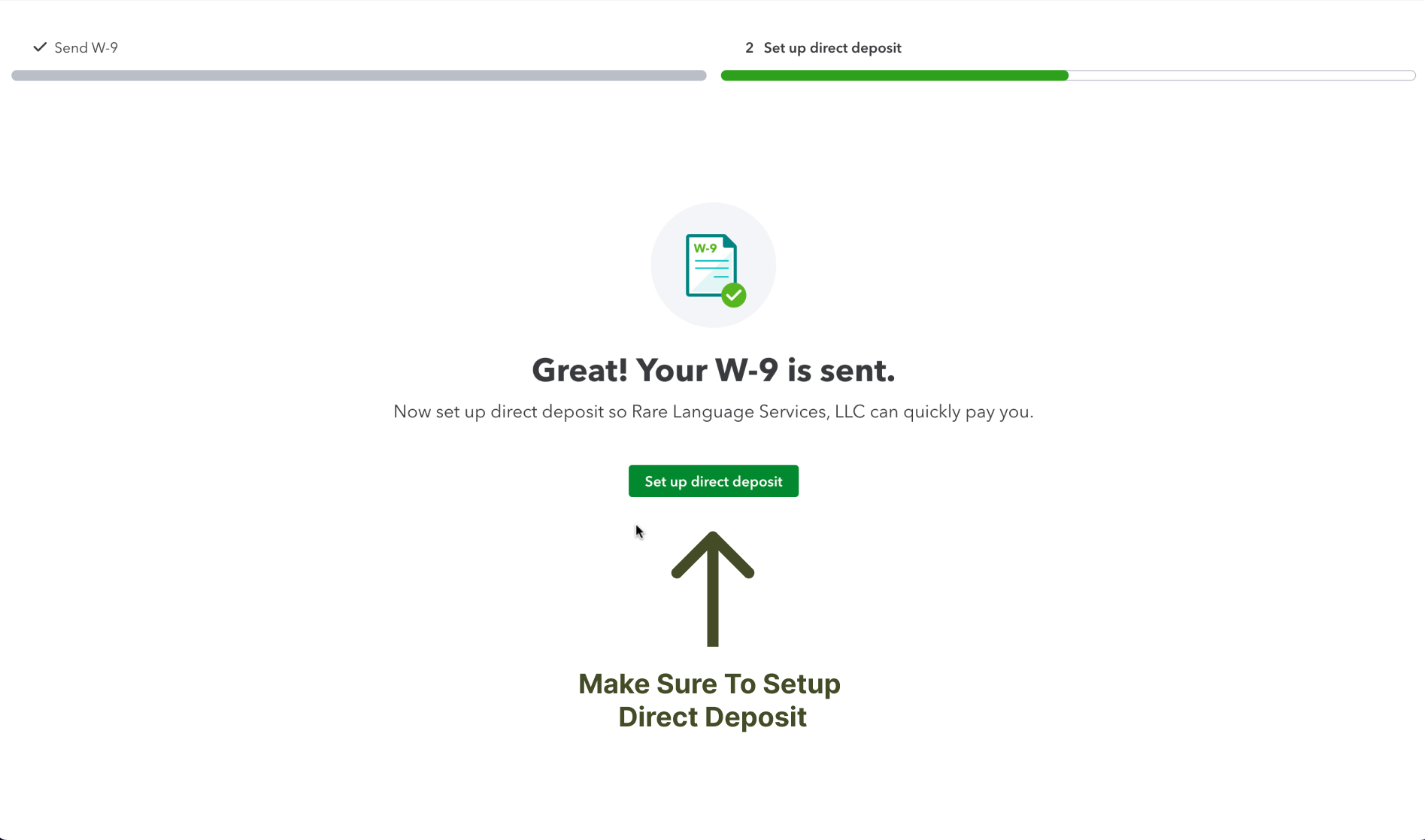
Connect Your Bank Account
You will then be taken to a screen to setup your direct deposit information. We currently only support direct deposit to US bank accounts. If you have a non-US bank account please reach out to payroll@rarelanguage.com.
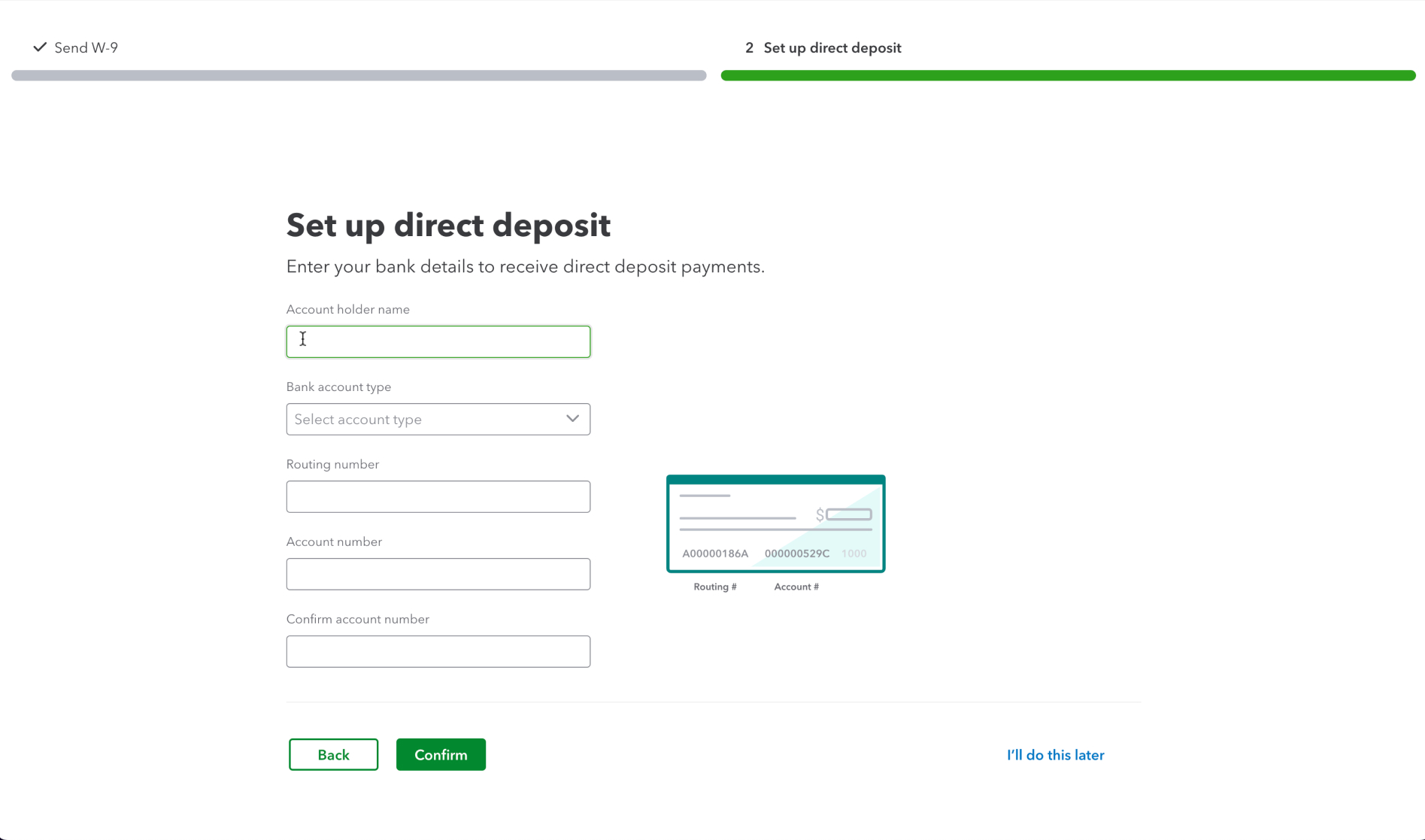
Make sure you’re paid
Please take a second to double check your bank account and routing numbers to make sure they are correct.
After filling out your bank information, click “Submit”.
You’re almost done! You just need to sign the direct deposit form. This confirms that the information is correct and authorizes us to send payments to your bank account.
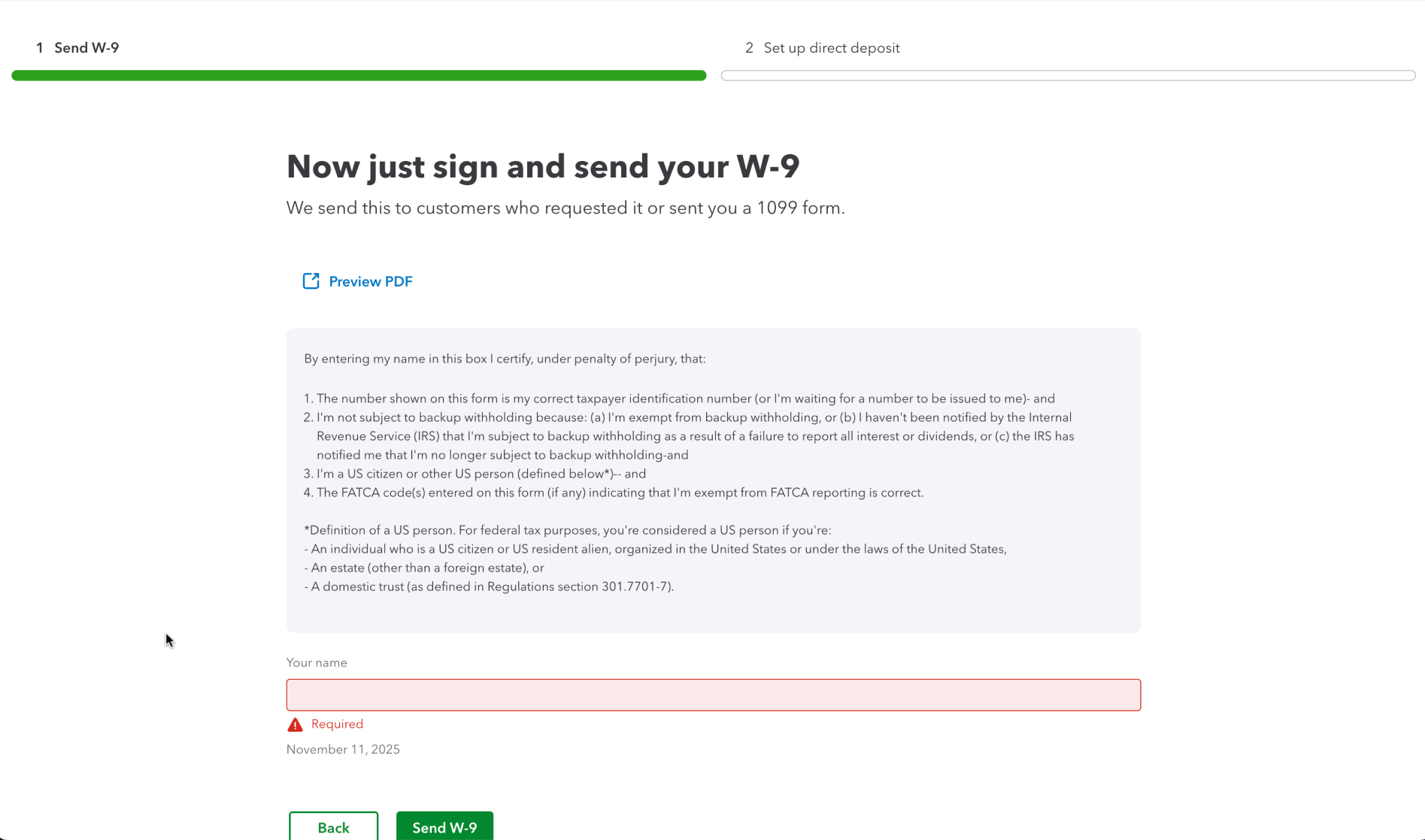
Submit
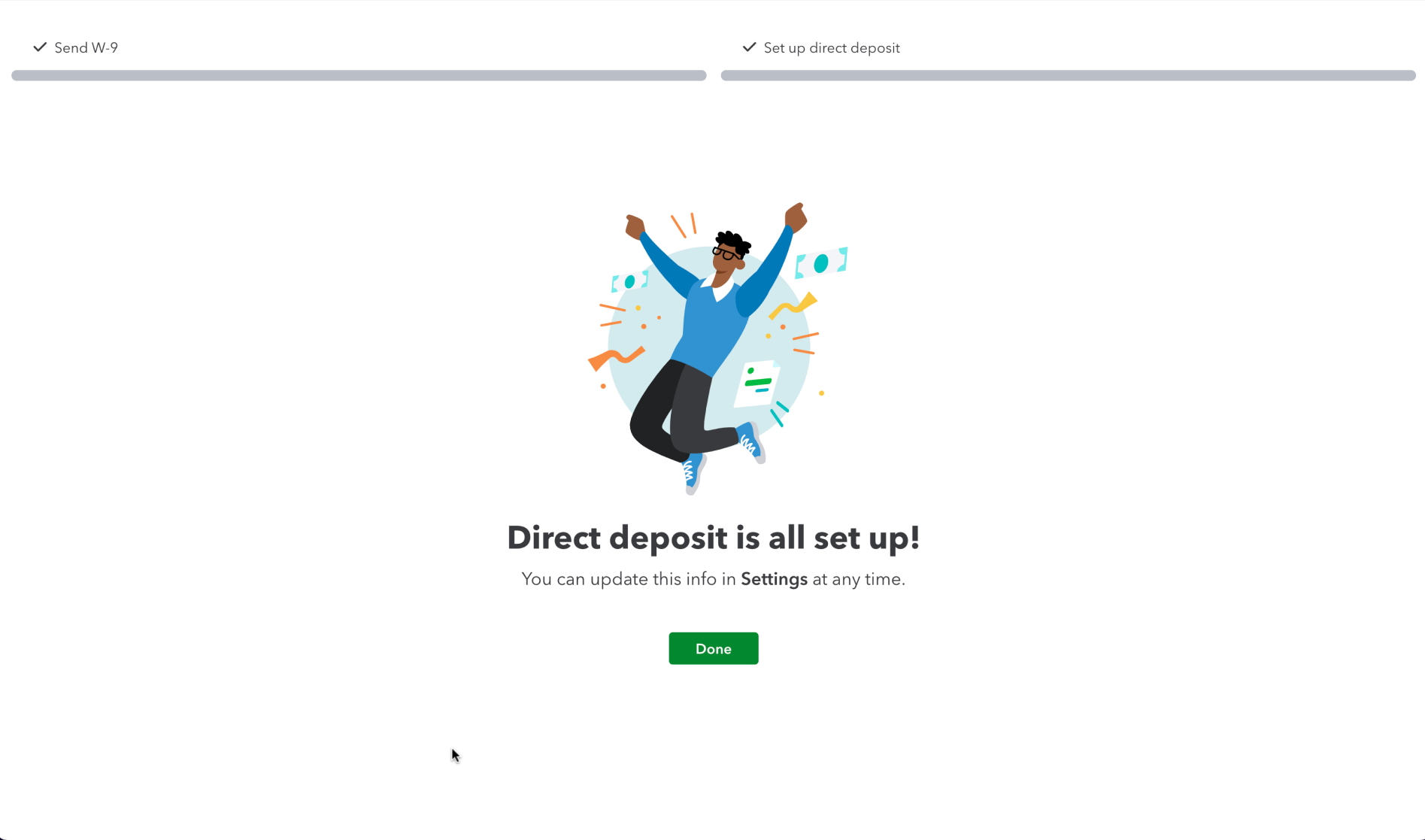
That’s it! You’re all set up to receive payments. If you have any questions or run into any issues, please reach out to payroll@rarelanguage.com.
Payments go out every Thursday for work completed the previous week (Monday - Sunday).